
MySecondLine Logo MySecondLine
Features FAQ Start Free Call
📞 MySecondLine · Call from PC to Phone

Call from PC to Phone

Make free calls directly from your PC — no phone needed. Get a second number for privacy, enjoy HD voice quality, and connect through any web browser.

⭐ 4.8/5 · Trusted by 5M+ users · No credit card needed

🌍 200+ countries
International reach
✓ Zero install
Works in any browser
🔒 Second line
Keep your privacy
🎧 HD voice · WebRTC
✨ Why use MySecondLine

Calling from your PC made simple and free

Make and receive calls right from your browser. No phone required, zero downloads — just clear, high-quality calling over any internet connection.
📞 PC Calling

Call from PC to Phone with ease

Make free calls from your desktop or laptop browser. No downloads required — simply connect to the internet and start calling any phone number without hassle.
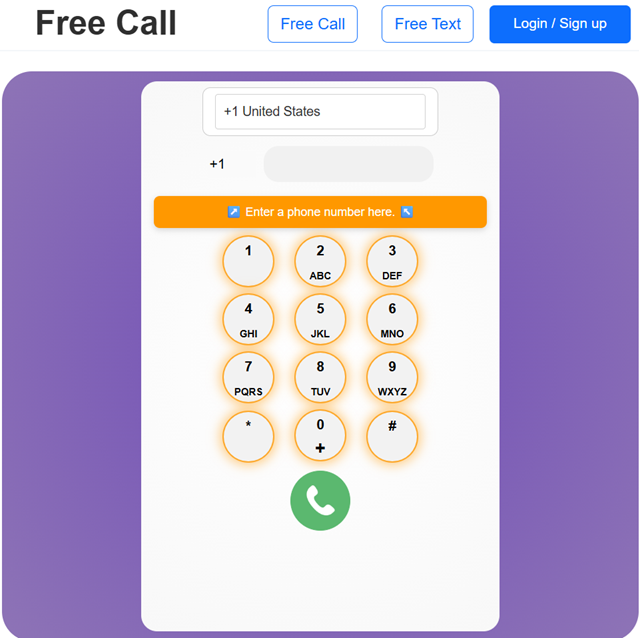
PC to Phone calling illustration
🔒 Privacy

Secure PC to Phone connection

Call from your PC using a second number. Keep your personal number confidential while making work-related or personal calls with ease. Your privacy is safeguarded.
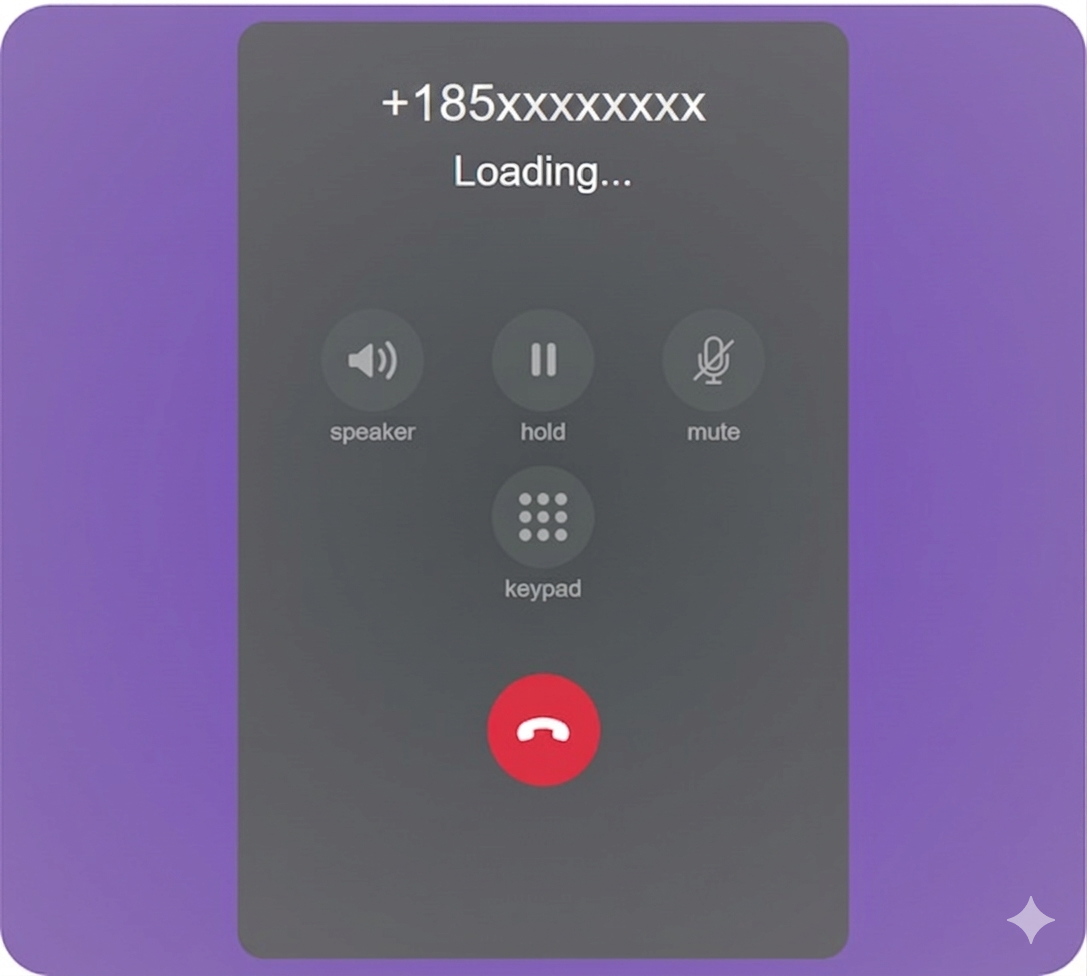
Private calling illustration
🌐 Browser

Call directly from your web browser

Call any phone directly from popular browsers like Chrome, Edge, Safari, or Firefox. No app required. Just open your browser, connect to the internet, and start calling instantly.
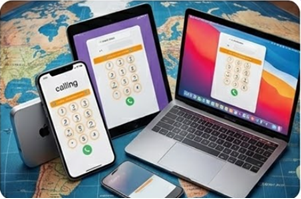
Browser calling illustration
✈️ Travel

Stay connected while traveling

Make calls from your PC while traveling abroad. Stay in touch without the worry of roaming fees. Just connect to WiFi and call home easily and confidently.
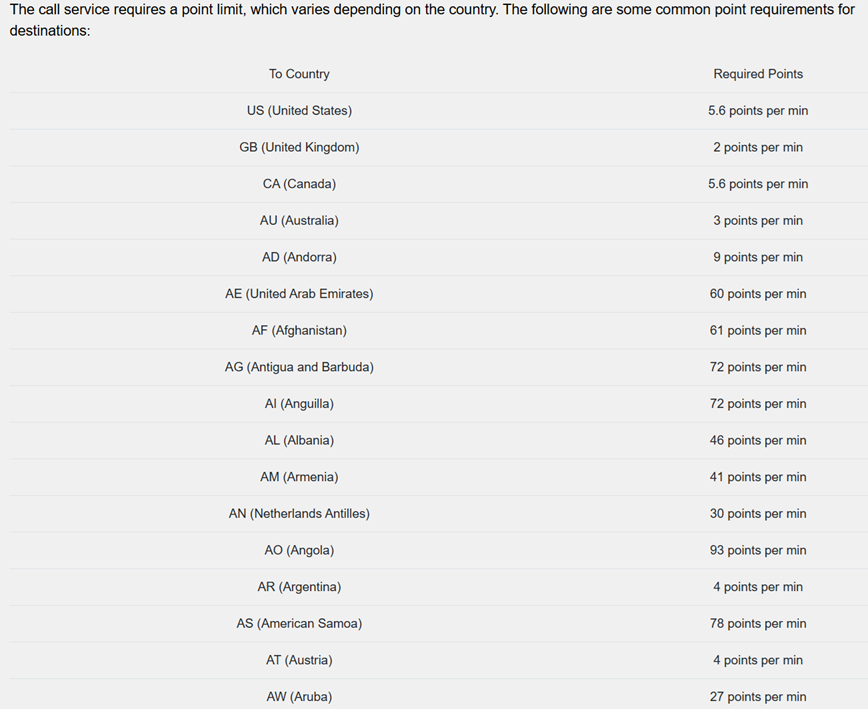
Travel calling illustration
🌍 Global coverage

Call friends & family worldwide

MySecondLine enables calls from PC to phone in over 200 countries and territories.
🇺🇸 United States 🇨🇦 Canada 🇬🇧 United Kingdom 🇦🇺 Australia 🇮🇳 India 🇩🇪 Germany 🇫🇷 France 🇯🇵 Japan 🇧🇷 Brazil 🇲🇽 Mexico 🇪🇸 Spain 🇮🇹 Italy 🇨🇳 China 🇰🇷 South Korea 🇿🇦 South Africa

+ 180+ more countries · Full list inside your account

📌 Why choose MySecondLine

Why people love calling from PC with MySecondLine

📞

Call easily from PC

Make free calls from your desktop or laptop browser. No downloads required — connect to the internet and start calling any number directly.

🔒

Privacy ensured

Use a second number to keep your personal conversations private while calling from your PC. Enjoy peace of mind with each call.

✈️

Calling while traveling

Traveling abroad? Connect to WiFi and call from your PC to stay in touch without any worries about roaming fees.

🔗

Web-based experience

Experience a fully web-based calling solution. No installations or applications necessary — just your PC and an internet connection.

❓ Frequently asked questions

Everything about calling from PC to Phone

Real answers for real people — clear and straightforward.
What is calling from PC to phone? +
Calling from PC to phone lets you make voice calls directly from your computer to any phone number using a web browser. With MySecondLine, you can enjoy this service easily without any app installation.
How can I make free calls from my PC? +
Making free calls from your PC is easy with MySecondLine. Just sign up for free, connect to any internet network, and start calling directly from your web browser without any downloads.
Do I need a phone to make calls from my PC? +
No! You don’t need a phone at all. MySecondLine allows you to make calls purely through your web browser. Just connect to the internet, use your PC’s microphone and speakers, and you’re ready to go.
Is it really free to make calls from PC to phone with MySecondLine? +
Yes! You can start making calls for free using MySecondLine. After initial usage, our calling service is designed to remain accessible for continued use without any financial commitment.
Do I need to install anything to call from PC to phone? +
No installation is necessary. MySecondLine operates directly in your web browser (Chrome, Edge, Safari) using WebRTC. Simply connect to the internet and begin calling from your PC.
Can I call while traveling abroad? +
Absolutely! You can call from your PC while traveling. Connect to a WiFi network wherever you are and easily call home without any worries about extra charges.
Do I need a credit card to start making calls? +
No credit card is needed to begin your journey with MySecondLine. Sign up with your email and you can start making free calls right away.
Is the call quality good for PC to phone calls? +
Yes, MySecondLine provides HD voice quality, ensuring that your calls are clear and reliable, making your connection as good as a traditional phone call.
Can I get a second number for my calls? +
Absolutely! MySecondLine provides you with a second phone number for making calls from your PC, ideal for work, privacy, or personal use.
How do I get support if I have questions? +
You can reach our support team at support@mysecondline.com or call +1-619-724-4833 (9am–6pm Pacific time). Our help center is also available to assist you.
🎯 No credit card required · Start your free call now
📞 Start calling for free

Make free calls today — from your PC

⭐ Trusted by over 5M+ users for secure and convenient PC to phone calling