Google Fi Number Porting Service
As Google Fi expands, MySecondLine is here to keep you connected!
- Sign up for MySecondLine
- Submit your Google Fi account info
- Purchase and transfer to MySecondLine
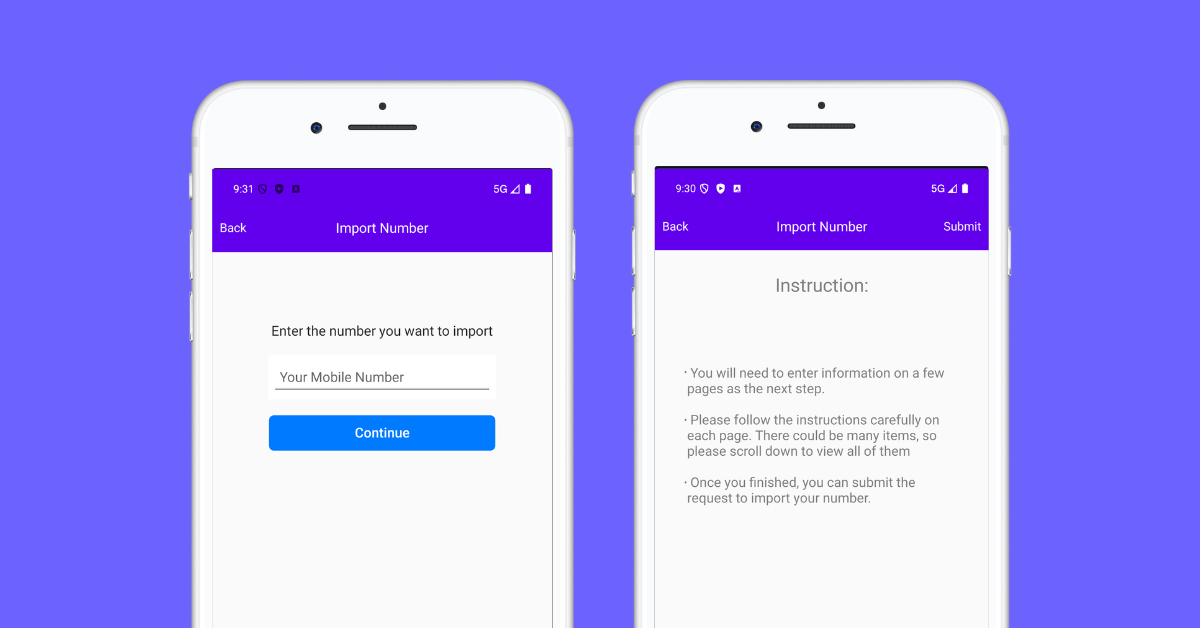
As Google Fi expands, MySecondLine is here to keep you connected!
Transferring your number to Google Fi is quick and effortless. Maintain your contacts and bypass the inconvenience of sharing a new number.
Easily port your Google Fi number to our app without complications. No SIM cards or contracts—just lower expenses and greater flexibility.
Transfer your Google Fi number, keeping your personal life private. Enjoy enhanced confidentiality without interrupting your current calls or messages.
Travel freely without restrictions. Use your ported number internationally with no roaming charges and no need for multiple SIMs.
Confirm if your current number can be transferred to Google Fi using our eligibility tool.
Gather details from your current account, including account number and PIN from your provider.
Fill out our simple online porting form with your information and pay the one-time fee.
We'll manage the transfer process with your existing provider, notifying you upon completion.
Follow these steps to retrieve your account information from Google Fi.
Generated in the Google Fi app or website upon cancellation with transfer option.
Ensure to use the exact name and address from your Google Fi account—case-sensitive.
Important: Important: Ensure that all information matches your Google Fi records to avoid issues. The unlock process may take 3-7 business days.
Our Integration Partners
"I wanted to keep my Google Fi number, and this service made it hassle-free. The transition was smooth, and now I enjoy lower rates with more features than before. Extremely satisfied!"
, San Francisco, USA
Google Fi is a mobile virtual network operator (MVNO) that seamlessly delivers cellular service by utilizing various networks and Wi-Fi. Established in 2015, it offers users flexibility in connectivity with features such as international roaming, data-only SIMs, and auto-switching between different networks for optimal performance.With its commitment to simplicity and non-contractual service, Google Fi allows users to pay only for the data they consume. This innovative service supports both regular mobile and data-only SIMs, making it an appealing choice for travelers and those who demand straightforward mobile plans.A standout feature of Google Fi is its number porting service, which enables users to transfer their existing numbers effortlessly while enjoying access to Google Fi's extensive network. This ensures continued connection and reliability as users transition to a more versatile communication platform.
Global Connectivity
Privacy Focused
Flexible Pricing
Initiate your journey towards a more flexible communication solution.